The joystick
The positions of the joystick
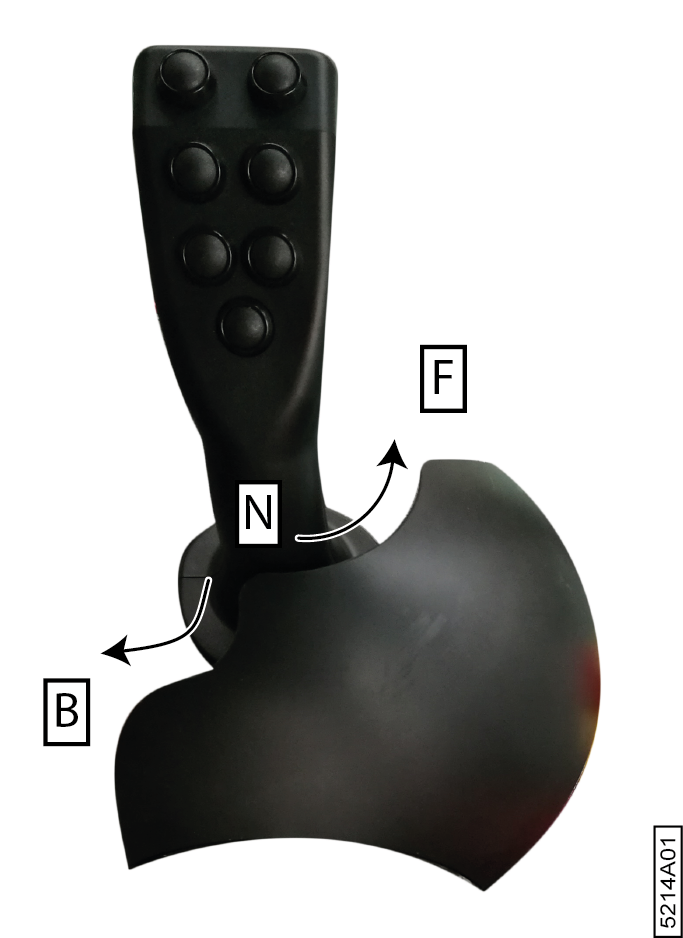
The position of the joystick determines the driving direction and the speed of the machine. For example: the further you push the joystick forwards, the faster the machine will move forwards. The joystick does NOT automatically return to the neutral position! The joystick can be placed in the following positions:
- Forwards: the machine moves forwards (F)
- Neutral: the machine does not move (N)
- Backwards: the machine moves backwards (B)
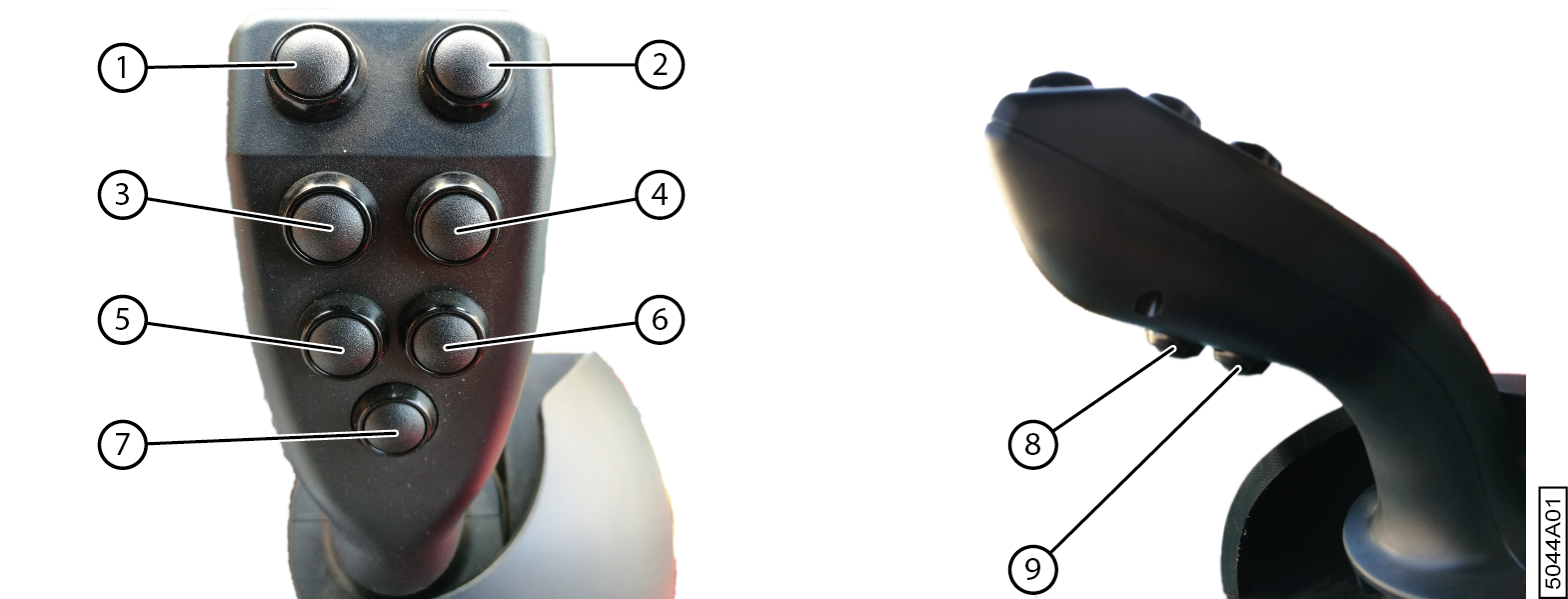
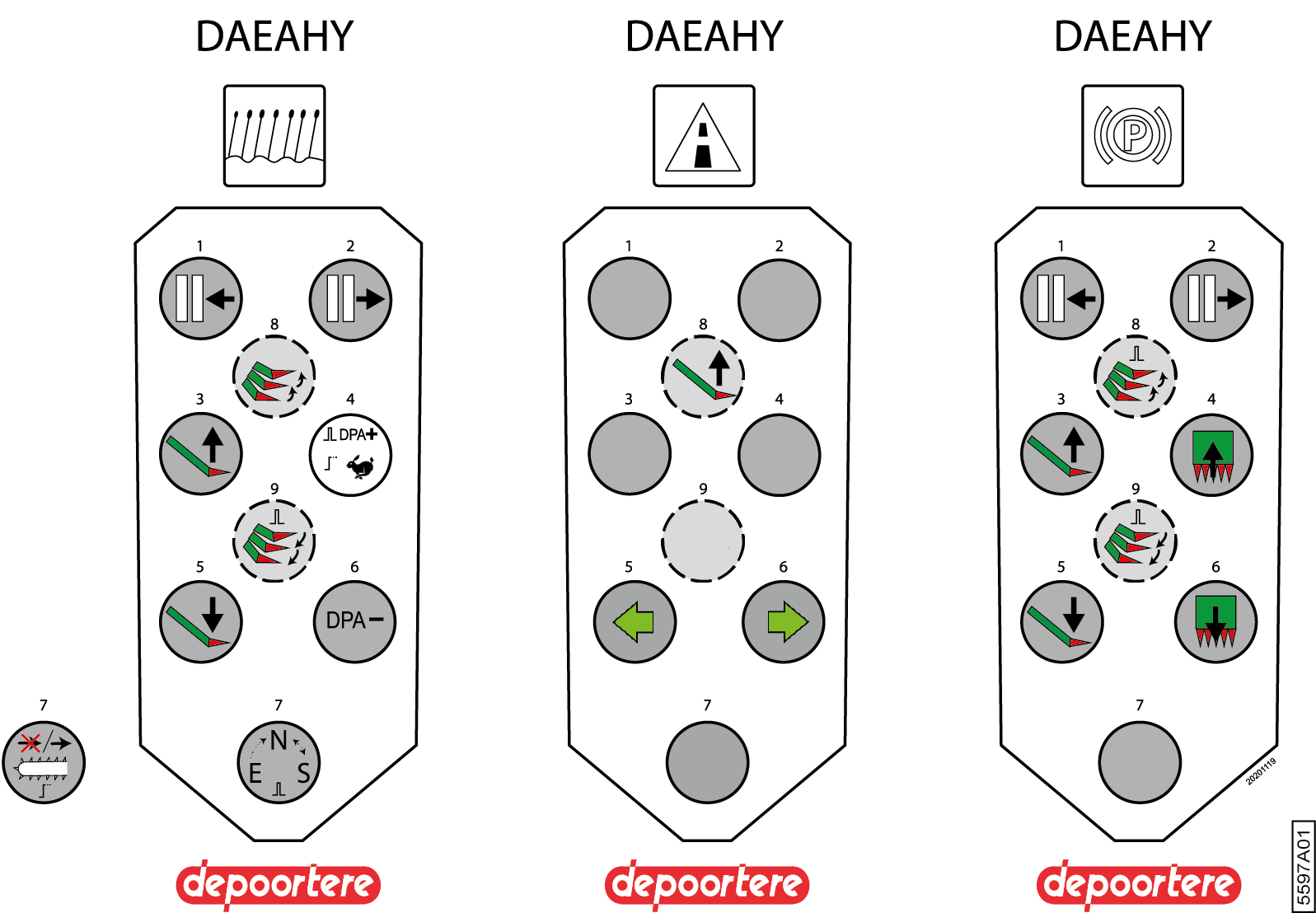
| Nr. | Field mode | Road mode | Stationary mode |
|---|---|---|---|
| 1 | Press and hold: Retract tables | No function. | Press and hold: Retract tables |
| 2 | Press and hold: Extend tables | No function. | Press and hold: Extend tables |
| 3 | Press and hold: Slowly raise picking element. | No function. | Press and hold: Slowly raise picking element. |
| 4 | Press once: Increase the speed of the picking belts. Press and hold: Boost function. |
No function. | Press and hold: All belts rotate forwards. |
| 5 | Press and hold: Slowly lowers picking element. | Briefly press once: Left-hand indicator flashes for 30 seconds | Press and hold: Slowly lowers picking element. |
| 6 | Press and hold: Decreases the speed of the picking belts | Briefly press once: Right-hand indicator flashes for 30 seconds | Press and hold: Picking belts rotate backwards |
| 7 | Briefly press once: the work mode changes from:
Press and hold. The picking belts are switched ON or switched OFF. Example 1: If the picking element is in the Raised position, you can stilll operate the belts. Example 2: If the picking element is in the Work position, you can stop the belts if there is no flax, or to eject the flax at a different location. |
No function. | No function. |
| 8 | Press the button and then release it, so that the picking element is raised to the next set position. Only in the exiting mode, does the picking element go from the lowest position to the highest position. |
Press and hold: Slowly raises picking element. | Press the button and then release it, so that the picking element is raised to the next set position. |
| 9 | Press the button and then release it, so that the picking element is lowered to the next set position. | No function. | Press the button and then release it, so that the picking element is lowered to the next set position. |
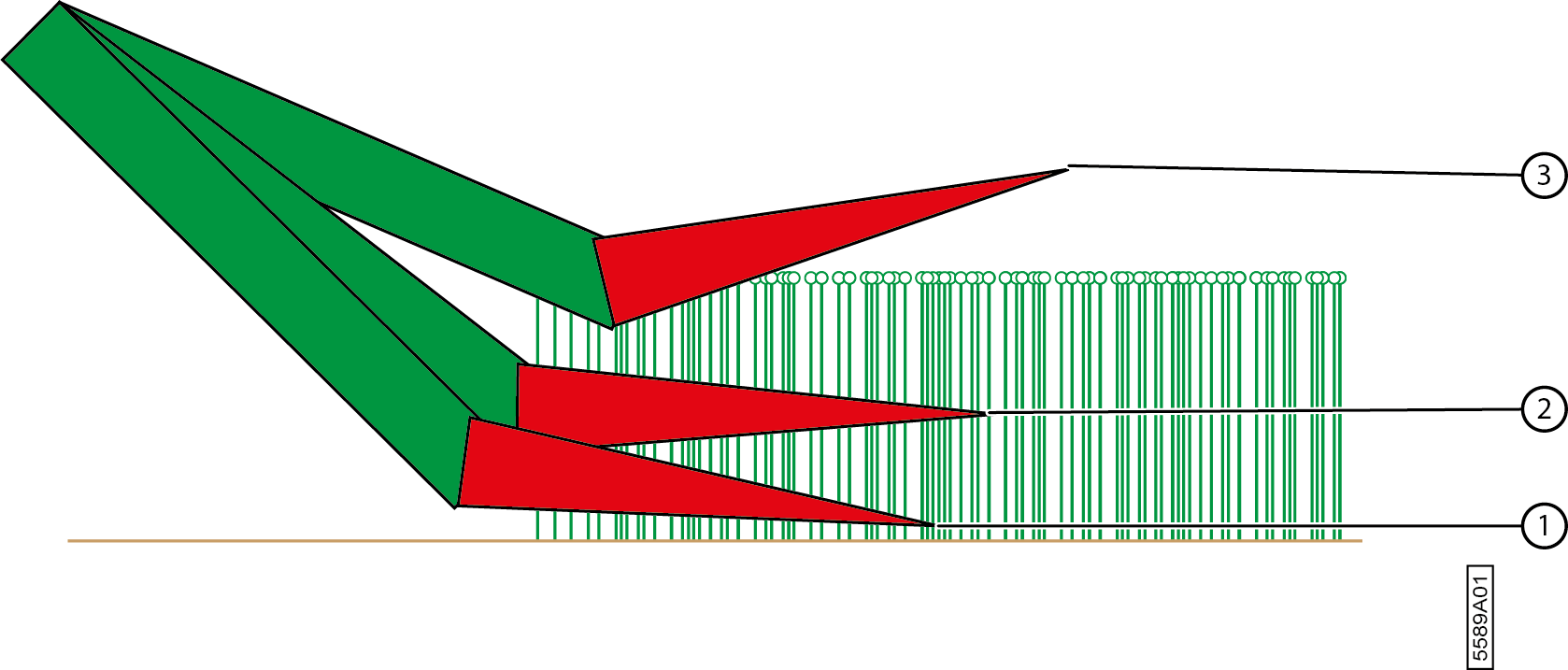
The picking element can be placed in 3 different positions:
| Nr. | Position | Explanation |
|---|---|---|
| 1 | Cases | This position is used if the flax is horizontal (i.e. lying flat) instead of being nice and vertical. The picking element is lowered. |
| 2 | Work | This position is used for picking flax under normal conditions. |
| 3 | High | This position is used when flax is not picked. |